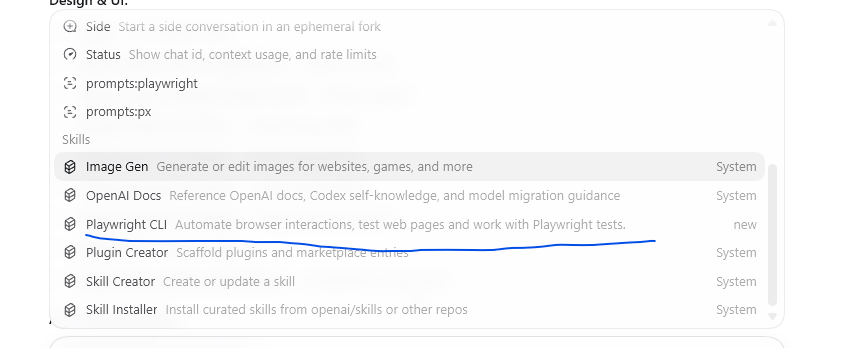
Codex 一键配置 Playwright 斜杠指令 PowerShell 脚本
Codex 一键配置 Playwright 斜杠指令 PowerShell 脚本
复制整段代码,直接在 PowerShell 运行,自动完成:MCP 全局配置、自定义/playwright+/px快捷斜杠、全局 AGENTS 规则、锁定 D 盘浏览器路径D:\CodexPlusPlus\playwright\pw_browsers,全项目通用、输入/下拉出现指令。
<#
一键配置Codex全局Playwright斜杠命令
生效:任意项目输入 / → 出现 playwright / px
浏览器固定D盘,永不安装C盘
#>
$userHome = $env:USERPROFILE
$codexDir = Join-Path $userHome ".codex"
$configToml = Join-Path $codexDir "config.toml"
$promptDir = Join-Path $codexDir "prompts"
$agentFile = Join-Path $codexDir "AGENTS.md"
$pwPath = "D:\CodexPlusPlus\playwright\pw_browsers"

# 创建目录
New-Item -Path $codexDir -ItemType Directory -Force | Out-Null
New-Item -Path $promptDir -ItemType Directory -Force | Out-Null

# 1. 写入MCP配置 config.toml(带D盘环境变量)
$mcpConfig = @'
[mcp_servers.playwright]
command = "npx"
args = ["-y", "@playwright/mcp@latest"]
startup_timeout_sec = 60
[env]
PLAYWRIGHT_BROWSERS_PATH = "D:\\CodexPlusPlus\\playwright\\pw_browsers"
PLAYWRIGHT_DOWNLOAD_HOST = "https://cdn.playwright.dev"
'@
if(Test-Path $configToml){
    $oldContent = Get-Content $configToml -Raw
    if($oldContent -notmatch '\[mcp_servers\.playwright\]'){
        Add-Content -Path $configToml -Value "`n`n$mcpConfig" -Encoding utf8
    }
}else{
    Set-Content -Path $configToml -Value $mcpConfig -Encoding utf8
}

# 2. 自定义/playwright 斜杠命令 prompt
$pwCmd = @'
---
name: playwright
description: 全局调用Playwright浏览器自动化,固定D盘浏览器目录D:\CodexPlusPlus\playwright\pw_browsers,禁止C盘安装
argument-hint: [url/命令]
---
优先读取系统环境变量PLAYWRIGHT_BROWSERS_PATH,所有浏览器启动使用D盘目录;
支持打开网页、截图、自动化操作;
调用MCP playwright服务,不自动下载浏览器至C盘。
'@
Set-Content (Join-Path $promptDir "playwright.md") -Value $pwCmd -Encoding utf8

# 3. 简写/px 快捷命令
$pxCmd = @'
---
name: px
description: playwright简写,一键拉起D盘浏览器
argument-hint: [网页地址]
---
等价/playwright,强制使用D:\CodexPlusPlus\playwright\pw_browsers浏览器。
'@
Set-Content (Join-Path $promptDir "px.md") -Value $pxCmd -Encoding utf8

# 4. 全局AGENTS.md规则(约束AI生成代码永远D盘)
$agentRule = @'
# Playwright全局强制规则
1. 所有Playwright代码、cli调用、安装操作,浏览器路径固定:D:\CodexPlusPlus\playwright\pw_browsers
2. 生成脚本必须读取PLAYWRIGHT_BROWSERS_PATH环境变量,严禁默认C盘缓存
3. 调用浏览器优先启用已安装在D盘的Chromium/Firefox/Edge,禁止自动下载到C盘
4. Codex调用playwright指令默认使用内置MCP服务
'@
if(Test-Path $agentFile){
    $agentOld = Get-Content $agentFile -Raw
    if($agentOld -notmatch 'Playwright全局强制规则'){
        Add-Content -Path $agentFile -Value "`n`n$agentRule" -Encoding utf8
    }
}else{
    Set-Content -Path $agentFile -Value $agentRule -Encoding utf8
}

# 5. 全局安装playwright cli
Write-Host "`n正在全局安装playwright cli..." -ForegroundColor Cyan
npm install -g @playwright/cli@latest

Write-Host "`n✅ 全部配置完成!关闭重启Codex生效" -ForegroundColor Green
Write-Host "使用方法:任意目录打开Codex,输入 / 下拉:playwright / px" -ForegroundColor Yellow
Write-Host "示例:/px https://www.baidu.com" -ForegroundColor Cyan
配置完成验证步骤
- 完全关闭所有 Codex 窗口,重新打开 Codex
- 输入/,下拉菜单出现:playwright、px
- 测试:
/px https://www.baidu.com
自动使用D 盘已有浏览器拉起网页,不会下载 C 盘。
4. 查看 MCP 状态:
/mcp
列表出现playwright=MCP 服务挂载成功。异常兜底
如果/不出现指令:在 Codex 执行/reload重载全局 prompt 配置。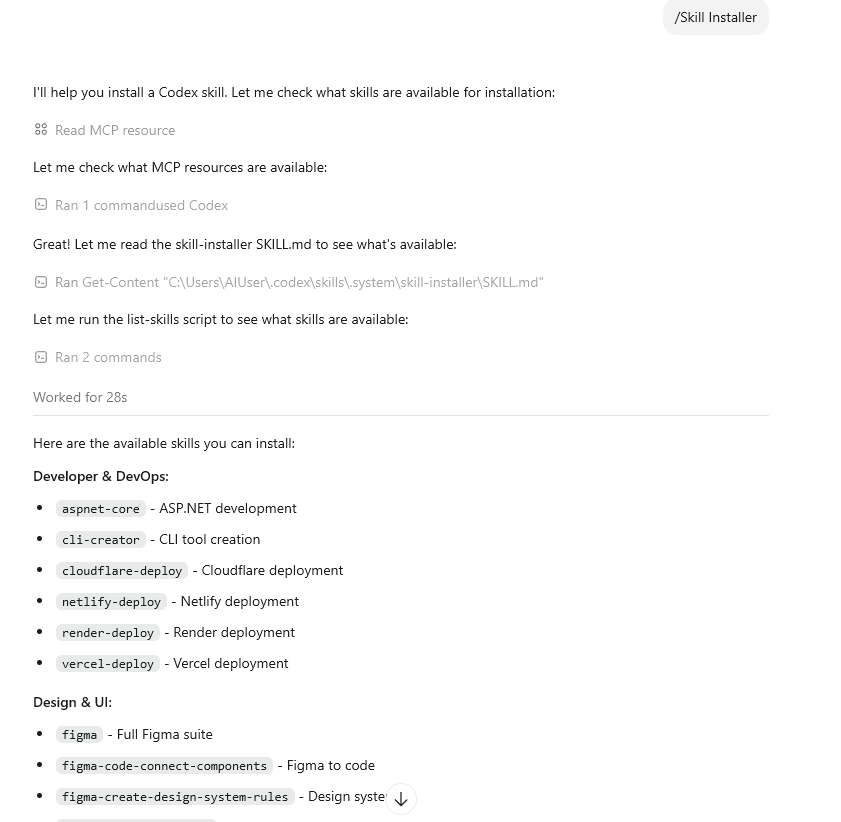
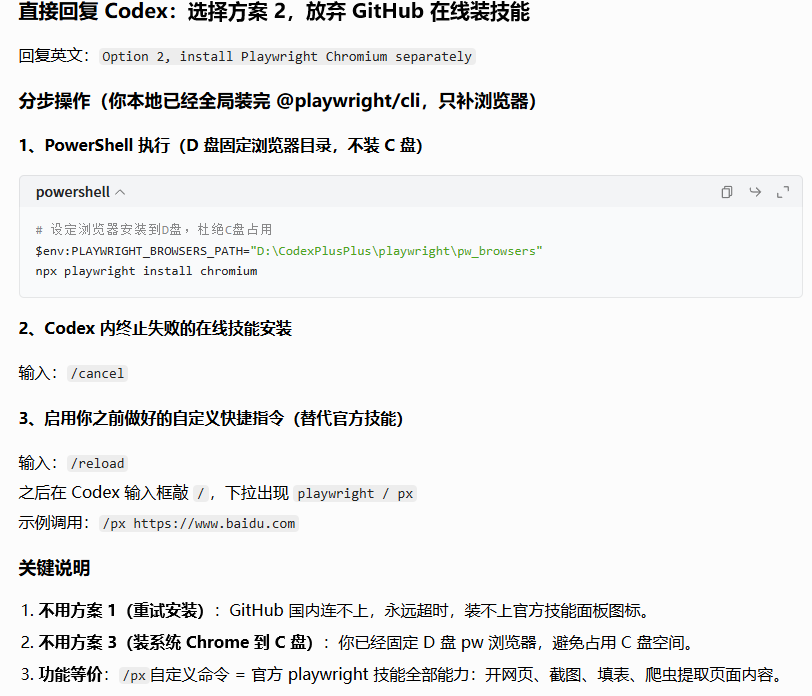
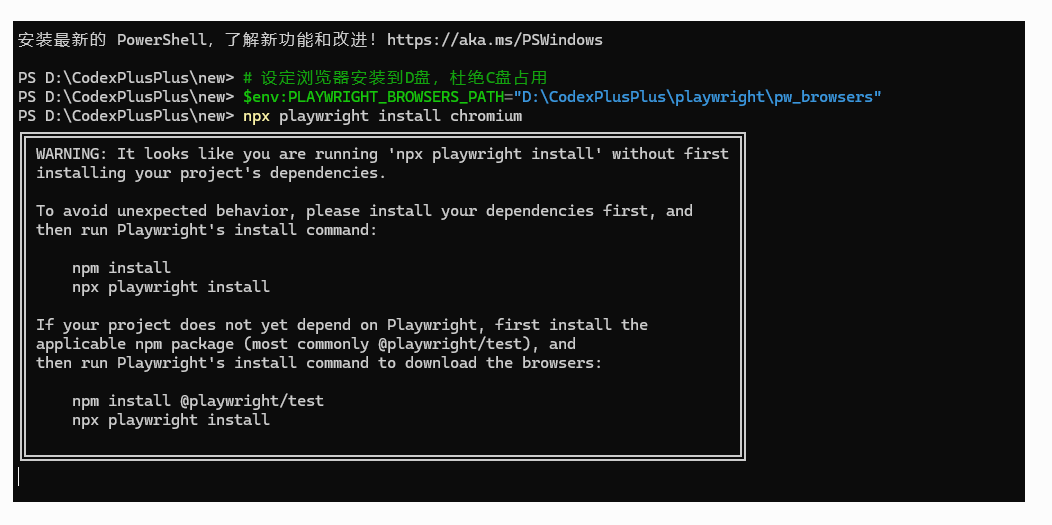
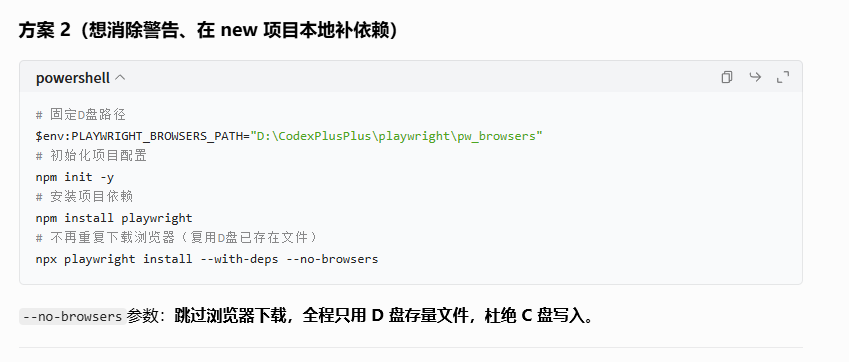
# 1、锁定浏览器目录+全局禁止自动下载浏览器
$env:PLAYWRIGHT_BROWSERS_PATH="D:\CodexPlusPlus\playwright\pw_browsers" $env:PLAYWRIGHT_SKIP_BROWSER_DOWNLOAD=1
# 2、只安装系统依赖、不下载任何浏览器文件 npx playwright install-deps chromium
以上命令 在自己的项目文件夹ps
安装最新的 PowerShell,了解新功能和改进!https://aka.ms/PSWindows
PS D:\CodexPlusPlus\new> # 固定D盘路径
PS D:\CodexPlusPlus\new> $env:PLAYWRIGHT_BROWSERS_PATH="D:\CodexPlusPlus\playwright\pw_browsers"
PS D:\CodexPlusPlus\new> # 初始化项目配置
PS D:\CodexPlusPlus\new> npm init -y
Wrote to D:\CodexPlusPlus\new\package.json:
{
"name": "new",
"version": "1.0.0",
"description": "",
"main": "index.js",
"scripts": {
"test": "echo \"Error: no test specified\" && exit 1"
},
"keywords": [],
"author": "",
"license": "ISC",
"type": "commonjs"
}
PS D:\CodexPlusPlus\new> # 安装项目依赖
PS D:\CodexPlusPlus\new> npm install playwright
added 2 packages, and audited 3 packages in 2s
found 0 vulnerabilities
PS D:\CodexPlusPlus\new> # 不再重复下载浏览器(复用D盘已存在文件)
PS D:\CodexPlusPlus\new> npx playwright install --with-deps --no-browsers
error: unknown option '--no-browsers'
PS D:\CodexPlusPlus\new> # 1、锁定浏览器目录+全局禁止自动下载浏览器
PS D:\CodexPlusPlus\new> $env:PLAYWRIGHT_BROWSERS_PATH="D:\CodexPlusPlus\playwright\pw_browsers"
PS D:\CodexPlusPlus\new> $env:PLAYWRIGHT_SKIP_BROWSER_DOWNLOAD=1
PS D:\CodexPlusPlus\new>
PS D:\CodexPlusPlus\new> # 2、只安装系统依赖、不下载任何浏览器文件
PS D:\CodexPlusPlus\new> npx playwright install-deps chromium
PS D:\CodexPlusPlus\new>